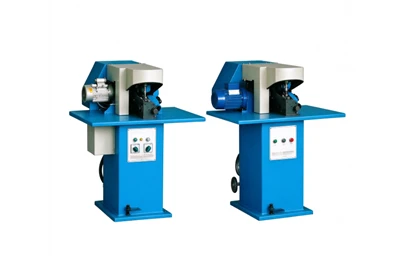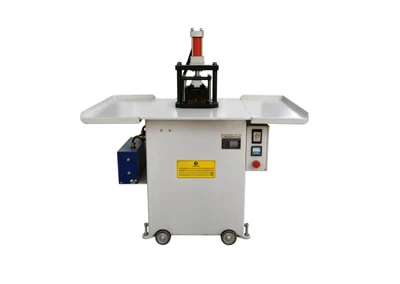
Toe Forming Machine Troubleshooting
A toe forming machine operates under heat, pressure, and continuous cycling. Over time, components wear, settings drift, and small problems become production-stopping faults. Most issues that halt production are not major component failures-they are temperature adjustments, pressure settings, timing sequences, or material handling problems that have drifted out of specification.
The following troubleshooting guide addresses the most common faults reported in toe forming operations, organized by symptom category. For each fault, it identifies the likely causes and the corrective actions.

1. Incomplete or Weak Toe Forming
The most common complaint is that the toe area is not fully formed. The toe puff may remain flat, the upper may not conform to the last, or the formed toe may lose its shape quickly after removal from the machine.
Insufficient Heat
The most frequent cause is insufficient forming temperature. If the hot station does not reach the temperature required for the material, the toe puff and upper remain too stiff to conform to the last shape. Check the temperature setting against the material specification. Leather uppers generally require different temperatures than synthetic materials, and thicker materials require more heat to soften through their full thickness.
Verify that the hot station reaches its set temperature before production begins. A machine that is started before it reaches operating temperature will produce inconsistently formed toes. Allow sufficient warm-up time according to the manufacturer's instructions.
If the temperature controller displays the correct value but the actual forming head is cooler, the thermocouple may be faulty or improperly positioned. A thermocouple that has lost contact with the forming head will report a lower temperature than actual, causing the controller to under-heat. Replace or reposition the thermocouple if readings are suspect.
Insufficient Pressure
Even at the correct temperature, the toe will not form properly if the forming pressure is too low. Check the pressure setting against the material and toe puff requirements. Thick leather requires more pressure than thin synthetic uppers.
If the pressure setting is correct but the actual pressure is lower, inspect the pneumatic system. Check the air supply pressure at the machine inlet. Verify that the pressure regulator is functioning properly and that the air filter is not clogged. A clogged filter restricts airflow and reduces the pressure available at the forming head.
Inspect the pneumatic cylinder for leaks. A leaking seal reduces the effective forming force. Listen for audible air leaks around the cylinder, fittings, and valve manifold. Apply a soap solution to suspect connections-bubbles indicate a leak. Replace worn seals or fittings as needed.
Insufficient Forming Time
The forming time determines how long the heated forming head stays in contact with the toe area. If the forming time is too short, the material does not reach forming temperature through its full thickness, and the toe will not fully conform to the last.
Check the forming time setting against the material specification. Different materials and thicknesses require different forming times. Increase the forming time in small increments until the toe forms correctly, then verify that the longer time does not cause damage to the material.
Worn or Damaged Forming Head
The forming head (die or air bag) contacts the toe area directly. If the head is worn, deformed, or damaged, it will not transmit pressure evenly. Inspect the forming head for visible wear, cracks, or deformation. Replace the head if it shows signs of damage.
For machines using air bag wrapping, check the air bag for leaks or punctures. A leaking air bag will not press the upper uniformly against the last.
2. Wrinkles, Creases, or Deformation in the Formed Toe
Wrinkles and creases in the toe area indicate that the material did not conform smoothly to the last during forming.
Uneven Pressure Distribution
If the forming head does not apply pressure evenly across the toe area, some areas will be over-formed while others remain under-formed. This is most common with rigid forming dies that have become worn or misaligned. Check the die for alignment and wear. Replace or re-machine the die if necessary.
For air bag wrapping systems, uneven pressure usually indicates a problem with the air bag. Check for leaks, folds, or blockages that prevent uniform inflation. Replace the air bag if it is damaged.
Material Misalignment
If the upper is not positioned correctly in the holding fixture, the toe area will not align with the forming head, and the pressure will not be applied where it is needed. Check the holding fixture for wear or misalignment. Verify that the operator is positioning the upper correctly.
Incorrect Temperature
If the temperature is too low, the material will not soften enough to conform smoothly to the last, and wrinkles will form. If the temperature is too high, the material may become too soft and deform excessively, causing creases. Verify that the temperature is set correctly for the material being processed.
Counter or Toe Puff Issues
The toe puff itself may be the source of the problem. If the toe puff is too thick, too stiff, or not properly positioned, it will not conform to the last shape. Check the toe puff specification against the forming parameters. Verify that the toe puff is correctly positioned before forming.

3. Toe Shape Loses Form After Removal
If the toe looks correct immediately after forming but loses its shape within minutes or hours, the cold setting stage is not working correctly.
Insufficient Cooling
The cold setting stage sets the shape while the material cools. If the cooling time is too short or the cooling temperature is not low enough, the material will not set properly, and the shape will relax after removal.
Check the cooling time and temperature settings against the material specification. Increase cooling time or decrease cooling temperature as needed. Verify that the cooling system is functioning correctly-check the cooling medium (air, liquid, or refrigerant) for proper flow and temperature.
Cooling System Faults
If the cooling system is not working correctly, the toe will not set regardless of the cooling time. Check the following:
For non-frozen liquid circulation cooling: Verify that the liquid is circulating properly and that the liquid temperature is within specification.
For freezing systems: Verify that the system reaches its set temperature and that the refrigerant charge is correct.
For convection air cooling: Verify that the air circulation is not blocked and that the air temperature is low enough.
Pressure Released Too Early
The cold setting stage holds the toe under pressure while it cools. If the pressure is released before the material has cooled sufficiently, the shape will relax. Verify that the pressure release timing is correct and that the material has cooled enough before the upper is removed.
4. Machine Will Not Start or Cycle
When the machine receives power but does not operate, the issue is usually a basic operational condition rather than a fault.
Safety Interlocks
Most toe forming machines have safety interlocks that prevent operation when guards are open or the emergency stop is engaged. Verify that all guards are in place and that the emergency stop button is not engaged. Check the interlock switches for proper function.
Power Supply
Verify that the main power switch is on and that the machine is receiving the correct voltage. Check the circuit breaker or fuse. A tripped breaker or blown fuse will prevent the machine from starting.
Pneumatic Supply
If the machine uses pneumatic pressure for forming, verify that the compressed air supply is connected and that the pressure is within the specified range. A machine with insufficient air pressure may not cycle or may cycle weakly.
Control System Fault
If all the above checks pass and the machine still does not start, the control system may have a fault. Check the control panel for error codes or indicator lights. Refer to the machine's manual for the meaning of the error code and the recommended corrective action.
5. Inconsistent Forming Results Between Cycles
If the machine produces a good toe on one cycle and a poor toe on the next, the problem is usually a drifting parameter or a worn component.
Temperature Fluctuation
Check the temperature controller for stable readings. A temperature that fluctuates significantly during production will produce inconsistent results. Verify that the thermocouple is properly positioned and functioning. Check the heating element for signs of degradation.
Pressure Fluctuation
Check the pneumatic system for pressure stability. A pressure regulator that is clogged or worn will not maintain stable downstream pressure. Check the air filter and replace if saturated. Verify that the air supply is adequate for the machine's demand.
Worn Components
As the machine ages, components wear and clearances increase. Check the forming head, holding fixture, and pneumatic cylinder for wear. Replace worn components before they cause inconsistent forming.
6. Steam System Problems (For Steam-Assisted Machines)
If the machine uses steam-assisted heating, additional troubleshooting applies.
No Steam or Low Steam Pressure
Check the steam supply and verify that the steam valve is open. If the machine has a steam generator, check that it is operating correctly and that the water supply is adequate. Low steam pressure will reduce the heating effect and cause incomplete forming.
Water in the Steam Line
If the steam line contains water, the steam will not transfer heat efficiently. Check the steam trap and drain the line if necessary. Water in the steam line can also cause spotting or staining on the upper material.
Steam Leaks
Inspect the steam connections and fittings for leaks. Steam leaks reduce the steam available for heating and can also pose a safety hazard. Tighten fittings or replace seals as needed.
7. Adhesive or Material Residue Buildup
Over time, adhesive residue and material fragments accumulate on the forming head and holding fixture. This buildup can cause marking, uneven pressure, and inconsistent forming.
Clean the forming head and fixture regularly according to the manufacturer's instructions. Use the recommended cleaning agents and avoid abrasive materials that could damage the forming surfaces.
8. Electrical Faults
Electrical faults can cause a range of symptoms, from the machine not starting to intermittent operation.
Loose Connections
Heat cycling and vibration can loosen terminal screws over time. Loose connections generate resistance that leads to overheating and intermittent operation. Inspect all electrical connections for tightness and tighten as needed.
Damaged Wiring
Inspect wiring for signs of damage, such as fraying, discoloration, or brittleness. Replace damaged wiring before it causes a short circuit or fire.
Heating Element Failure
If the hot station does not reach temperature despite the controller calling for heat, the heating element may be faulty. Measure the resistance of the heating element with a multimeter and compare to the manufacturer's specification. Replace the element if it is open or significantly out of specification.
9. Daily Maintenance That Prevents Most Faults
Most troubleshooting scenarios can be avoided with consistent daily maintenance. The following maintenance tasks prevent the majority of faults.
Before each shift: Check the air pressure and drain water from the filter bowl. Verify that the hot station reaches its set temperature. Inspect the forming head and holding fixture for residue or damage.
After each shift: Clean the forming head and fixture. Check the cooling system for proper operation. Inspect the machine for any visible damage or loose parts.
Weekly: Inspect the pneumatic cylinder for leaks and smooth operation. Check the temperature calibration. Verify that the cooling system reaches its set temperature.
Monthly: Inspect electrical connections for tightness. Check the heating elements for wear. Replace the air filter element if needed. Lubricate moving parts according to the manufacturer's schedule.
Quarterly: Replace worn forming heads, air bags, or seals. Check the pneumatic valve for proper function. Verify that the temperature controller is calibrated correctly.
Summary of Common Faults and Corrective Actions
| Symptom | Likely Cause | Corrective Action |
|---|---|---|
| Incomplete forming | Insufficient heat, pressure, or forming time | Check temperature, pressure, and time settings; verify thermocouple and pneumatic system |
| Wrinkles or creases | Uneven pressure, material misalignment, incorrect temperature | Check forming head alignment, fixture position, and temperature setting |
| Shape loses form | Insufficient cooling, cooling system fault, early pressure release | Check cooling time and temperature; verify cooling system operation |
| Machine will not start | Safety interlock, power supply, pneumatic supply, control fault | Check guards and E-stop; verify power and air supply; check error codes |
| Inconsistent results | Temperature fluctuation, pressure fluctuation, worn components | Check controller stability, pneumatic system, and component wear |
| Steam system problems | No steam, water in line, leaks | Check steam supply, drain line, tighten fittings |
| Residue buildup | Adhesive or material accumulation | Clean forming head and fixture regularly |
| Electrical faults | Loose connections, damaged wiring, heating element failure | Inspect connections, wiring, and heating element |
Summary
Toe forming machine troubleshooting follows a logical sequence: identify the symptom, check the parameters that affect the symptom, and verify that the machine's systems are functioning correctly. Most faults trace back to temperature, pressure, time, cooling, or material handling-the five variables that determine forming quality. A disciplined approach to daily maintenance prevents the majority of faults, and a systematic troubleshooting method resolves the rest quickly.
For footwear manufacturers, the ability to diagnose and correct toe forming problems without extended downtime is a production advantage. The machine is a key piece of equipment in the lasting line, and keeping it running reliably supports the quality and throughput goals of the factory.